
Settings
A tour of every settings category, and what each one changes.
Open Settings with the gear in the panel header. Each category opens its own screen.
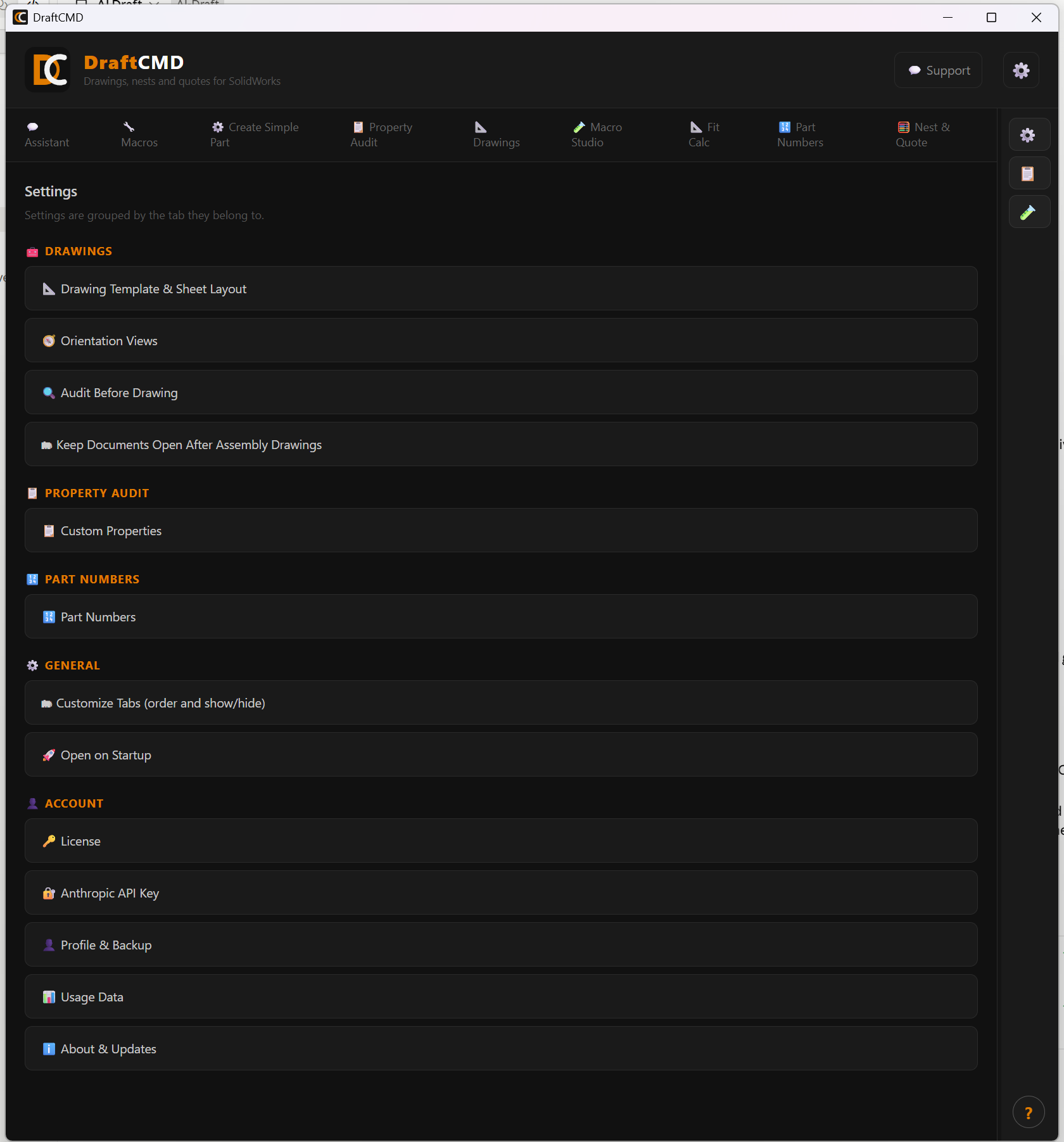
The categories
| Category | What it does |
|---|---|
| Custom Properties | Which properties are required, used by Property Audit |
| Drawing Template & Sheet Layout | Your drawing template, plus sheet size, margins, title block height and the gap between views |
| Audit Before Drawing | Check required properties automatically before a drawing is made |
| Orientation Views | How views are oriented on drawings |
| Open on Startup | Whether the panel opens when SolidWorks starts |
| License | Your activation key and plan |
| Anthropic API Key | The key for the AI features, stored encrypted on your computer |
| About & Updates | Version, update checks and release notes |
| Part Numbers | The shared number folder and whether Part Numbers also creates the part |
| Keep Documents Open After Assembly Drawings | Leave every part and drawing open after a batch, or close each as it finishes |
Credits
On the free trial, a credit is used only when an action succeeds. A failed run costs nothing. The help button (?) in the panel opens this table:
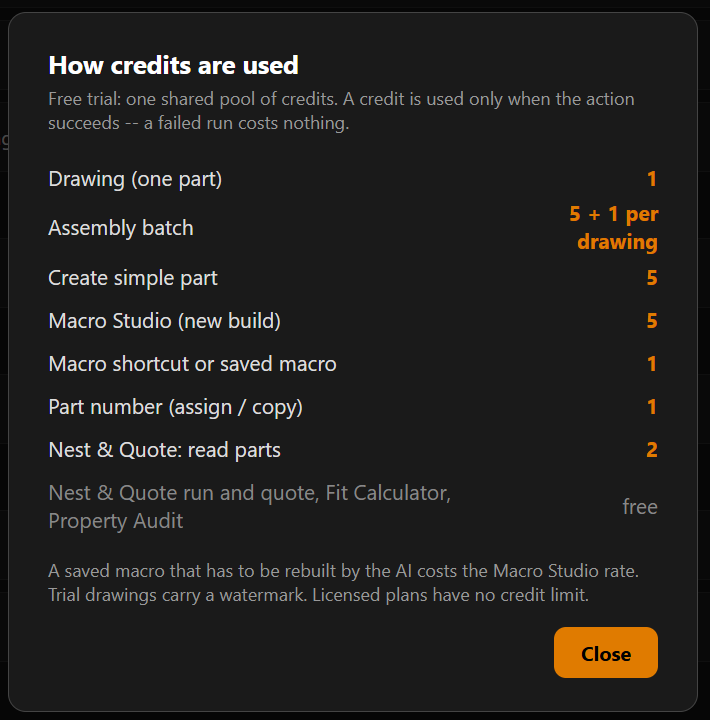
Licensed plans have no credit limit.